Pearno
Play along on your real piano.
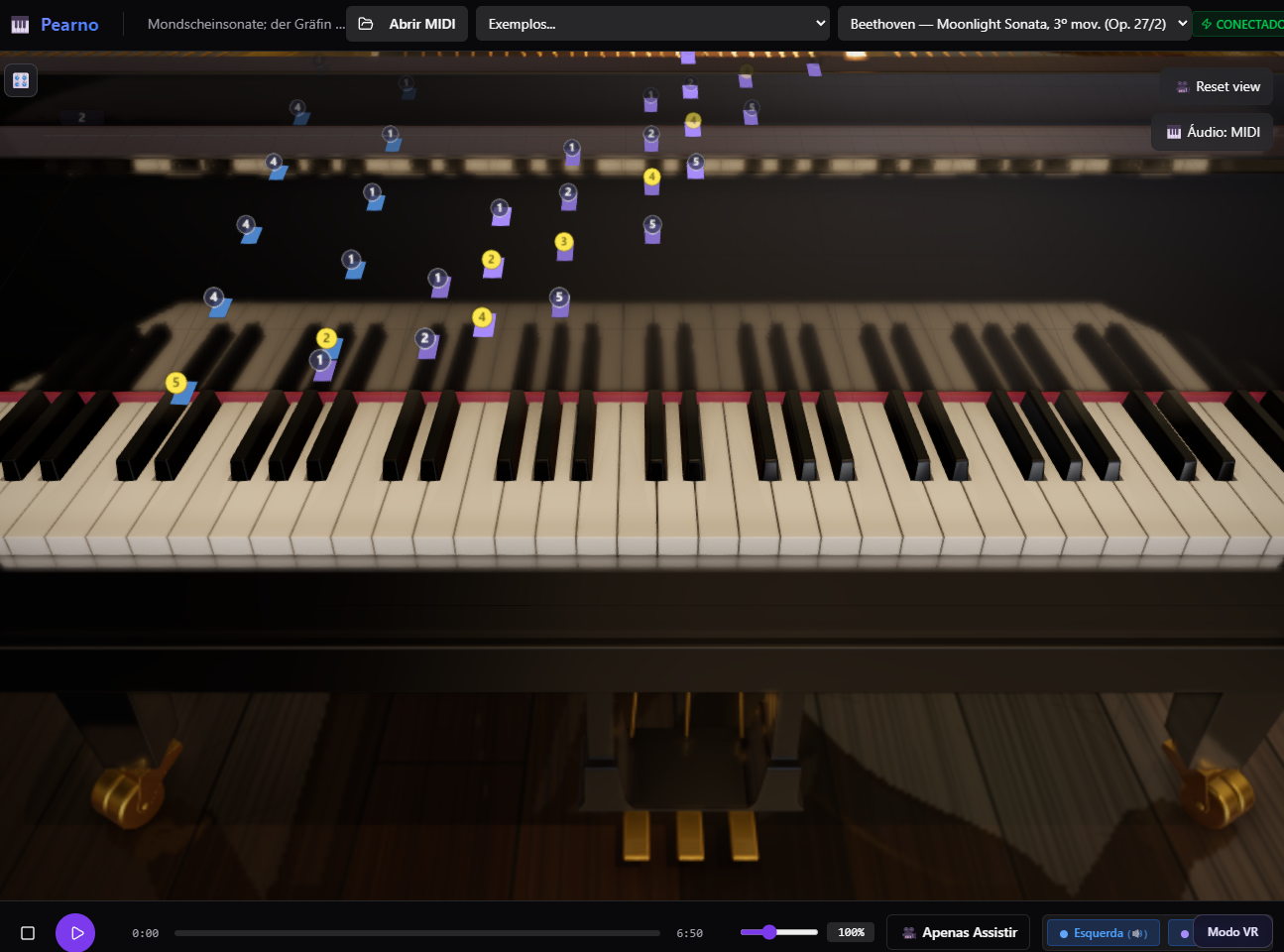
Pearno is a play-along practice tool for people who already own a piano or MIDI keyboard. Load a piece, and the notes fall in 3D onto the actual keys of a grand piano — so what you see on screen maps directly onto what's under your fingers.
It runs in your browser. Nothing to install.
What you need
- A MIDI keyboard connected for the full experience.
- No keyboard? Watch mode plays any piece back on its own — you can see exactly how it works before committing to anything.
- A browser with WebGPU (recent Chrome or Edge). The 3D scene needs it.
What it does
- Notes land on the keys. Not a floating piano roll next to a keyboard graphic — the notes arrive on the key you're supposed to press.
- Practice mode waits for you. Set a track to practice and the piece holds until you play the right notes. Miss a measure and it demonstrates it for you, then rewinds so you can try again.
- Per-hand control. Each track can be set to practice, listen, or off — so you can drill the left hand while the right plays itself.
- Curated fingering. Some pieces ship with hand-checked fingering instead of algorithmic guesses.
- Real sustain pedal. CC64 from your keyboard, half-pedal aware.
- Route to your own piano sound. Send MIDI out to a VST or hardware synth if you don't want the built-in samples.
- Speed control, so you can take the hard bars slowly.
- Open your own MIDI files — the two included pieces are a starting point, not the library.
- VR / mixed reality (experimental). On Meta Quest, the scene can run in passthrough — the 3D notes appear over your actual piano.
Included pieces
- Chopin — Fantaisie-Impromptu, Op. 66
- Beethoven — Moonlight Sonata, Op. 27/2, 3rd movement (Presto agitato)
Leave a comment
Log in with itch.io to leave a comment.